
orgrr goes global

I use orgrr, my note-taking package for Emacs, for many different but sometimes overlapping aspects of my life: A main slipbox for professional knowledge, several writing projects, an org-journal folder, a folder with tasks for work, downloaded websites/mastodon posts (via mastodon.el) and more.

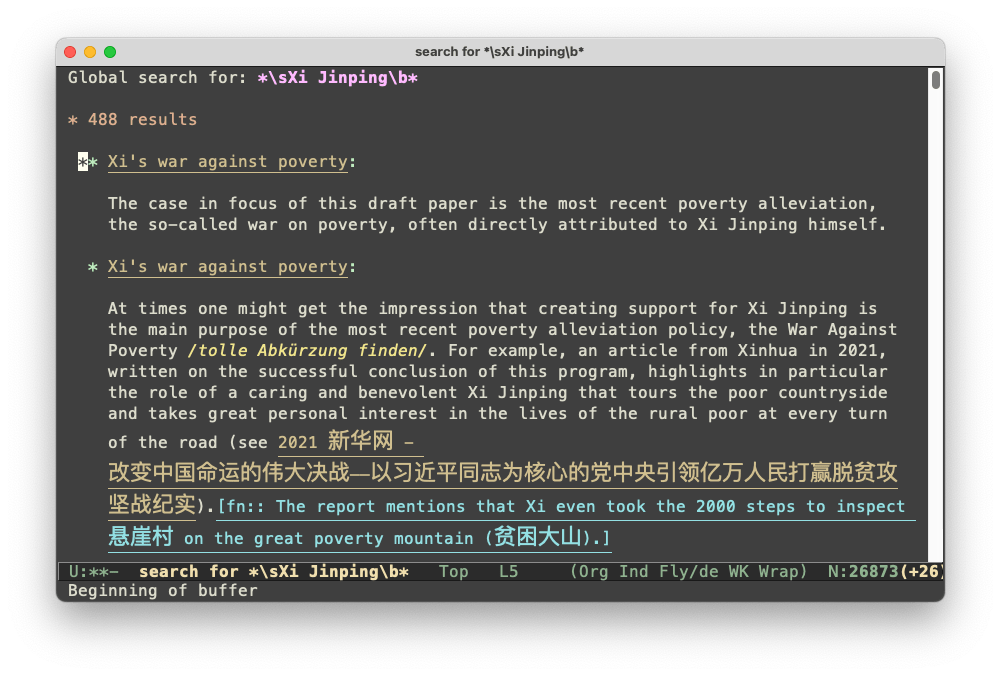
Recent additions to orgrr, such as global variants of find, insert, show-backlinks, show-related-notes, or orgrr-search (new in 0.9.6!), ignore the boundaries between these different containers (which are just different org-directories). Imagine invoking C-u orgrr-show-backlinks on a note in your slipbox and finding that relevant section of a newspaper article you read months before or that insight you linked in your journal in 2021.

More on the new orgrr-search:

As most of orgrr itself, orgrr-search and orgrr-global-search (or C-u orgrr-search), draw on ripgrep. The search string entered here is directly passed to ripgrep, so all regex that ripgrep understands should also work here. Search in orgrr is not case sensitive (i.e. rg -i is set). Search results are presented in context and clicking on the linked headline above a result will directly take you to the line in the source file.

Adding orgrr-related-notes

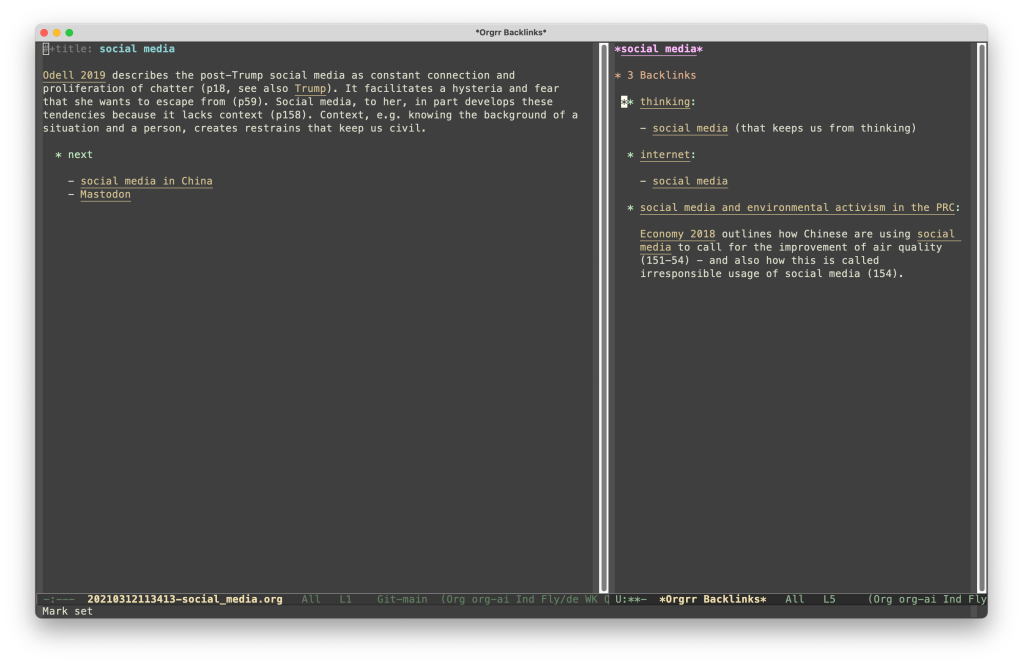
I wrote a new function to better surface related notes for my minimalist org-roam v1 clone orgrr. The function collects all notes related to a given note to the second degree – the backlinks for the backlinks and the outgoing links mentioned by outgoing links. To use the image of a family, it considers parents and grandparents as well as all children and grandchildren of a note. All links to a specific note are counted and the resulting list is ranked by frequency and presented in side-window (invoking the function again closes the side-window). Pretty stoked by the results!

Adding orgrr-projects

One of the main ideas of the Zettelkasten-approach (“This is the way”) is to be able to pull out a number of cards and to look at them at the same time. For a while I tried different ways to replicate this with orgroam (and orgrr).

One of my ideas was to open all relevant notes in a new frame. This worked only ok-ish. Managing multiple frames in Emacs is somewhat hard (for example, all windows have to be re-arranged manually) and there is a limit to the number of notes that you would be able to see at the same time.

Another idea was to use the great org-transclusion package. In my personal use, however, I frequently encountered two issues. First, I only needed a line or two from a note and entering the line-numbers for org-transclusion – despite being easy – added a bit of friction. Secondly, I frequently use my notes as a starting point to write more comprehensive articles/notes. This requires changes to the contents of an existing note that should not affect the source note.

So in sum, I wanted to see a number of snippets from different notes at the same time (with links to their respective sources) but fully moldable to my liking. And I wanted to be able to rapidly add snippets to different thematic “desktops”. Enter orgrr-projects.

Orgrr-projects is the first major deviation from the original org-roam v1 ideas in orgrr. All notes within the org-directory and the roam_tag orgrr-project are an orgrr-project. This makes it very easy to add a note to or to remove it from the list of orgrr-projects. orgrr-open-project presents you a list of all active projects and lets you quickly open the selected one. One use case, for example, would be to have quick access to your favorite problems.

orgrr-add-to-project now lets you add the current line – of either any visited org-document in the active buffer (within the org-directory) or in the *Orgrr Backlinks* buffer – to any of these projects. A link to the source document is also added.

orgrr: org-roam-ripgrep

Org-roam v2 is an amazing project and brought org-roam to a new level of sophistication. Still, I never made the switch. As a reminder, the crucial difference between the two was the move from files as the main unit of interaction to “nodes”, which are org headlines with an org-id attached to them. This allowed for impressive graphs and more thorough linking to headlines (and even to show backlinks for nodes) but it never clicked with me and so I continued to use v1.

This worked fine for me until recently, where some weird emacsql problem broke the interaction between Emacs 29 and orgroam v1 on a new (old) intel Mac from work, which I wanted to use for field research (instead of my newer and expensive MBP). Enter orgrr:

Orgrr is an almost feature-complete replica of the core functionality of org-roam v1, built using ripgrep(rg), a lot of regex and hashtables. It does recognize alternative note titles (#+roam_alias) and tags (#+roam_tags) as introduced by org-roam v1. Orgrr currently only works with org-files (i.e. files ending in .org). If you also miss the first version of org-roam or prefer to not use databases (or to reduce dependencies), then this might be something for you.

PS For full text search I strongly recommend deadgrep, which also uses rg.